Naijatechworld: Mobile
Showing posts with label Mobile. Show all posts

Tuesday, September 8, 2015


Five Reasons Why You Should Choose Samsung Galaxy S6 Over iPhone 6
Are you planning to buy a new high smart phone? The technology market now i filled with many brands or in other words models of phones with many features and offers. At times making the right choice can be very daunting and confusing. One might get confused whether to go for the looks or high-end tech or to look at brand name or to go by product reviews.

Without no doubt, there are numerous questions people ask and also many model of phones to choose from. Among all confusions, Samsung and Apple remains the two giant technology companies that continues to rule the mobile market. The both companies recently Launched Samsung Galaxy S6 and iPhone 6 have made remarkable wave in the mobile market. With both Phones having almost the same features with mostly different in price. In this post we will be taking a look at these two phones to and you will discover why you should go for the feature packaged Samsung Galaxy S6 than the overpriced iPhone 6

Also Read: How To Download Paid Android Apps For Free From Google Play Store
Also Read: Get Daily SMS Job Alerts on Your Phone from Ngcareers
Recommended : How To Bypass Icloud Activation Screen Lock On Any Iphone

Screen size

The Samsung Galaxy S6 comes with a 5.1 inch screen with 2560x1440 pixels and 577 ppi which is lager when compared to the iPhone 6S which has 4.7 inch screen with 1334x750 pixels and 320 ppi. Obviously from the analysis above you can see the difference in their screen size, therefore making S6 to have much higher resolution over iPhone 6S. Am not saying that iPhone 6 screen is not nice, but the difference between its screen is way much high and you notice this when you brows with the two phones.

Camera Pixel

Obviously the Samsung Galaxy S6 camera is more better .period. iPhone presents just 8 megapixel camera while Samsung Galaxy S6 comes with a powerful 16 megapixel camera. You know what that means; Galaxy S6 gives you a better sharp and bright images that you can later edit later or punch the share button to share with friends. The Samsung Galaxy offers an optical image stability on the rear face camera, this is a very important feature that is not offered in the iPhone 6.

Advanced multitasking

Ok the multitasking aspect of both phones are all ok .But the Samsung Galaxy S6 offers some features such as Multi-window that aid multitasking ability. To test this is to open two apps at the same time, stream YouTube video while tweeting, or surf the internet while doing justice to important emails. I must say that this is not a feature the iPhone 6 can boast of.

Battery life

The battery is the power house of your phone, as you brows, watch videos and carryout your social media activities, your phone battery is the one-stop for everything. There are many Applications that keep you updated with all your activities and that is where the S6 won over its competitor.

The Samsung battery lasts more longer and also charges fast that that in the iPhone 6. And the Wireless charging ability of the Galaxy S6 is also a great advantage, which makes it possible for one to charge his or her Samsung Galaxy S6 in almost about half the hour it would take one to charge the iPhone 6

The S6 “edge”

You might be wondering what the edge has to do here, but i tell you; the edge is not found in iPhone 6 .This is a feature that Galaxy S6 users cannot do without as it provides them with real time status update about their phone.

With those analyses above I hope you can now make the right choice. If you Love this article please share and subscribe to my blog updates to get my recent updates direct to your email.

Read More »

Sunday, August 2, 2015

 Samsung Galaxy Note 5 Specifications

We got some leaked info about the Samsung Galaxy Note 5 specification that is to be released not later than this month of August. It was revealed that it will come without a MicroSD slot space for memory expansion which undoubtedly will disappoint more than a few among you. The Samsung Galaxy Note 5 is said to come with a 5.66-inch display with QHD resolution. This display has been in their third generation in a row, No new growth in terms of Size after the Galaxy Note 3 which was made with 5.7-inch sweet spot two years ago.


Our source claims that the Note 5 will be powered by the same Exynos 7420 chipset which also powers the Galaxy S6, despite persisting rumors that a refined 7422 version was developed for the phablet. In terms of memory, the Note 5 will come with 4GB of RAM and internal storage which is quoted to be 32GB. However, without any doubt other storage options are possible, or in other words, inevitable, in the sense that the Galaxy Note 5 is said to come without a microSD slot for expansion. Until its official release let wait and see how it goes, without a microSD? There must be a way out.

Additionally, we also gathered that the primary camera for the Samsung Galaxy Note 5 will be a 16MP unit, though it is not yet confirmed if the camera will be the new 16MP Samsung sensor, or the Sony-made IMX240 found in the Galaxy S6. The front camera is said to have 5MP unit. Nothing they say is hidden under the Sun and whatever remains unknown is sure to be revealed. The Samsung Galaxy Note 5 is said to be revealed on August 13, which is the official Launch date for Galaxy Note 5 and Galaxy S6 edge+.


Read More »

Wednesday, February 25, 2015

Facebook Founder and Ceo Mark Zuckerberg and his Chief Operating Officer Sheryl Sandberg Yesterday Sent a big "Thank You" message to all their Advertisers as they hit more than two million active advertisers on Facebook.

In the quest for more Business Strategy and to give facebook marketers more medium to manage and advertise their businesses , they Introduced the new Facebook Ads Manager for iOS. 
You can now spend less time on your desktop computers and more on mobile devices for better mobile ad campaign management.

What You Can Do With iOS Ads Manager
You can use the iOS ads manager whether to Track or create new ads , It is a powerful App that will help your marketing campaign.. Marketers can use it to:

= Track Their Ads Performance
= Create New Ads
= Edit an existing Ads
= Edit their Ads Budgets And Schedules
= Also to get Push Notifications.

As at the time of writing this post , the Ads manager app for iOS is available only in the US and will be available worldwide in the next few weeks as stated by them.
They Also revealed that they are seriously working to also build ads manager app for Android and is expected to be launch later this year.

Go HERE now to Download the iOS Ads Manager App..
Read More »

Thursday, November 20, 2014


Rim is set to release a new Blackberry Smart phone into the Market .. They named it
Blackberry Classic.
This looks much similar to the Blackberry Q10 but comes with more Advanced features.

Here are some Features of the Upcoming Blackberry Classic
BlackBerry® Classic is the ultimate communications tool.

  • Keyboard and navigation keys designed for optimal speed and accuracy
  • Large square touch screen
  • Amazingly fast and astoundingly beautiful web browsing
  • A battery that powers through
  • Ability to install Android™ and BlackBerry apps 
  • Works with GSM Carriers only. Bands include: FD-LTE: 1,2,4,5,7,13,17,25. HSPA: 1,2,4,5/6
Well i think this a Development and also a big blow for the Android users always boasting of their Applications that do not run on Blackberry devices.

You can Pre-order Your own Blackberry Classic HERE it goes for $449.00
Please comment and share your view on the New Blackberry Classic


Read More »

Saturday, October 11, 2014


Airtel has finally ended the airtel BIS 1+1 offer for Android users.. But no need to panic , they have just stumped now with more bigger and better offer/promo , this time they call it Android Data 1+1 offer.

The offer allows eligible Sims to get as much as 4GB for N2,000 and 9GB for N3,500 all valid for 2 months.
This is much pretty similar to the previous BIS promo, where only eligible sims are allowed in to the offer..

I know by now you might be agitating and cant wait to dust up your Airtel Sim and start rocking the new data promo.. I hope you did not trow away your Airtel sim in the Pit Toilet during that period of Data Zapping?. Lol

But that is why am here to serve you better, without wasting much of your time, follow the simple steps bellow to check if your sim is eligible for this promo.

Insert your airtel SIM on any phone and dial the code *437*1# for the 4GB plan that cost N2K or dial *438*1# for the 9GB plan that cost N3.4K.

After dialing either of the 2 codes above, if you get a reply message that says “Dear customer, you do not have sufficient balance for this plan”, then you should know that your SIM is eligible and you can go ahead to recharge your SIM with the said amount and redial the code.


However, when you dial either code and get a reply message that goes like this “Dear customer, you do not qualify for this plan”, then you should immediately know that your SIM is nowhere eligible for the offer.

If your sim is eligible and you have succeeded subscribing , to check Your Android Data Balance simply dial *223#

One good thing about this Airtel Android Data Plan is that is not limited to only android phones, which means you can use it on any device even in your modem..

So what are you waiting for? go and dust your airtel sim to start testing your eligibility.

Please share and comment to tell us if your SIM is Eligible or Not..
Read More »

Wednesday, October 1, 2014


Hello Readers and Friends , after many complains i here from my friends and others, asking if there are any way they can download interesting paid apps / applications in their Android devices from Google Play Store, Then i decided to make some research and i can up with this Post..

Here am sharing to you my recent findings on how you can download all paid Android Applications from Google Play Store For Absolutely FREE. Yes you Heard me right FREE..

Many Apps are been released on daily basis into the Google Play Store. And you find out that over 99% of Interesting Applications there are Paid Apps.
Why are they paid Apps? This is because it took the App Developers many Time and Hard work to Develop so they put up this little fees in compensation for their hard work..

But am here to help you to get Access to those paid Applications for Free if you follow the simple steps am about to reveal to you now..

= You need To Download Blackmart Alpha Application . You can download from HERE
= After Downloading, Install it in Your Android Smart phone or Tablet.
= Now open your google play Store App and search for the paid Application that you wish to Download.
= When you see the application, Note the name
= Now open your Blackmart Alpha Application and insert the Application name in the search box and Search
= You will find that particular App which is paid in Google Play Store in the Blackmart , And Download for Free
= Install the Downloaded Application and Enjoy.

Don't Forget to share this post with your friends and check  my other post....

Subscribe to my blogger feeds and get all the post direct too your Email 

                                      Follow Us In Twitter :
Read More »

Saturday, September 27, 2014


Follow Us In Twitter :


It could be quit embarrassing when you are trying to type or do some important things with your Blackberry but notice that it hangs and this can last up to 2mins..

Have you considered clearing your phone log? This could lead to it as many unwanted logs are in your phone memory..

Follow this simple steps to clear  Your Blackberry logs and feel the new speed..

To Clear Your Log simply Hold  and press this keys....

***** Hold the '' alt and Press lglg
***** You will see lists of event log ( see picture bellow )

*****Now press the menu  button and select the clear log button
*****Press OK
That's all..

Share and comment if it worked for you..
Read More »

Friday, September 26, 2014


Is Your Android Internal Memory full? Don't worry here is the solution for it. Probably you might have been installing all your Apps in the phone memory.. And this results in the inability to install new apps in the phone.

It is pretty good to install your android apps in your SD card memory to free the internal memory in your phone.

If you have installed apps in your phone, you do not have to worry as there is a way to move those apps to SD card, and that is what am about to teach you here..

Follow the Steps Bellow to Move Your Android Apps to SD card

1. Click on your phone Menu and Go to Settings.
2.Go to Application Settings and click on Manage Applications.
3.Select the Application you would want to move to SD card and you will see an Option (Move to SD card) . just select the option and that's all

Follow the same steps to move other applications you want to SD card.

NOTE:  Whenever you remove your SD card , those applications that you moved to your SD card will not function properly till you reinsert the SD card into your phone..
Post any question if you have one..

Thanks for reading and share this post with your friends..
Read More »

Thursday, September 25, 2014


I decided to make this post out of many request from people .
Considering the Low internet speed/connection of Airtel Nigeria Network in many Areas in Nigeria.

So I decided to make this post , It will help you to boost your connection especially for those using Airtel sim in universal Modems , for setting your network to 3.5G network

Follow the Steps Bellow To set-up your connection.

Configuration Name= Airtel 3G

Dial Number= *99#

User Name=  live blank
Password= Liver Blank

APN (Access Point Name )= internet.ng.airtel.com

Live other places as default .

Click connect and feel the increase in speed.

Thanks for Reading.

Read More »

Monday, September 22, 2014


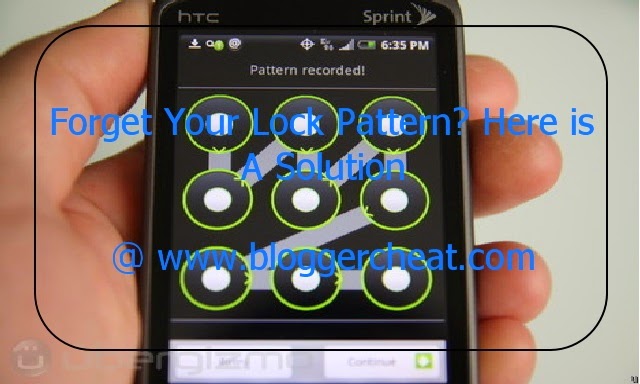
This is a simple method / Steps to unlock your HTC android phone when you forget your password or lock pattern ..
It also work for other android phones such as Tecno.

Follow this simple Steps to unlock your HTC Android phone when you forget the password or pattern lock..

Step.1- Switch off your fone by pushing and holding the
power button

Step.2- Press on the power button and
the down- volume button simultaneously (Power-on+Down-volume buttons) 

Step.3- On the next display that shows up, you will
glimpse about four 

Step.4 choices, select ‘Factory Set”or “Reset”. You can use the Volume-Up or Volume-
Down button to navigate to either down or up.

The factory setting starts immediately on confirmation and when the entire process
completes, the phone will boots up again without the pattern secure or security code afresh. !!!….. 
This method of resetting pattern secure works and rock with all types of HTC Android phones and with some Samsung and Tecno Android phones…..!!!!!

Am ready to attend to your questions ,that's if there is any.

Enjoy
Follow Us In Twitter :
Read More »

Sunday, September 21, 2014


Bypass Icloud Screen Lock for all IOS users without entering icloud password ..

So you don't have to worry again when you forget your icluod login details or sell your devise without restoring them..

Thanks to a new tool from smartphone unlock provider ChronicUnlocks...

Apple’s Activation Lock, introduced last year alongside iOS 7, is designed to curb the theft of iPhones, iPads, and other iOS devices by preventing them from being restored and reactivated without the original owner’s iCloud password. It means thieves cannot wipe devices after they have been stolen and therefore makes them harder to sell on the black market.

The feature has been very effective since its launch. A June report from The New York Times revealed that iPhone robberies in San Francisco had dropped 38 percent since Activation Lock was introduced last September, while those in New York City fell 19 percent. But bypassing that lock is now a great deal easier — if you have the money.

This tool shouldn’t help thieves sell stolen iPhones, then, but it should help genuine owners regain access to their devices after forgetting their iCloud password. It is a tad pricey, but it’s certainly a great deal cheaper than a new device.

This software now works on any iPhone , iPod and iPad and it is for free

You can read more about the app @ http://www.bypassicloudactivationlock.net/

Thanks and Share...
Read More »

Tuesday, August 5, 2014

The much anticipated official introduction of the next generation iPhone is bound to take place on Tuesday, September 9, according to some new information revealed today.
Read More »

Monday, July 28, 2014

Ngcareers, Nigeria’s top job search and career platform just launched an SMS job alert service with some of the major telecommunication firms in Nigeria to enable anyone who has a mobile phone to receive job alerts.
Read More »